
How do I access my account?
Getting started is easy! Download the Playbook app from the Apple App Store or Google Play Store. Sign in using the email address associated with your Sculptness® membership. You'll receive a verification code by email to complete your login. Once signed in, your classes, programs, and community will be ready and waiting for you!
If you originally signed up through our website, be sure to use the same email address when logging in.
Alternatively, you may choose to select it here.
How do I save my favorite class?
Found a class you love? Save it for later! Simply open the class and tap the heart icon in the upper-right corner of the screen. Your saved classes will be added to your Favorites section, which you can access anytime by navigating to your Profile. It's an easy way to keep your go-to classes close at hand!
Do I need any Equipment?
Most of our workouts can be done without equipment!
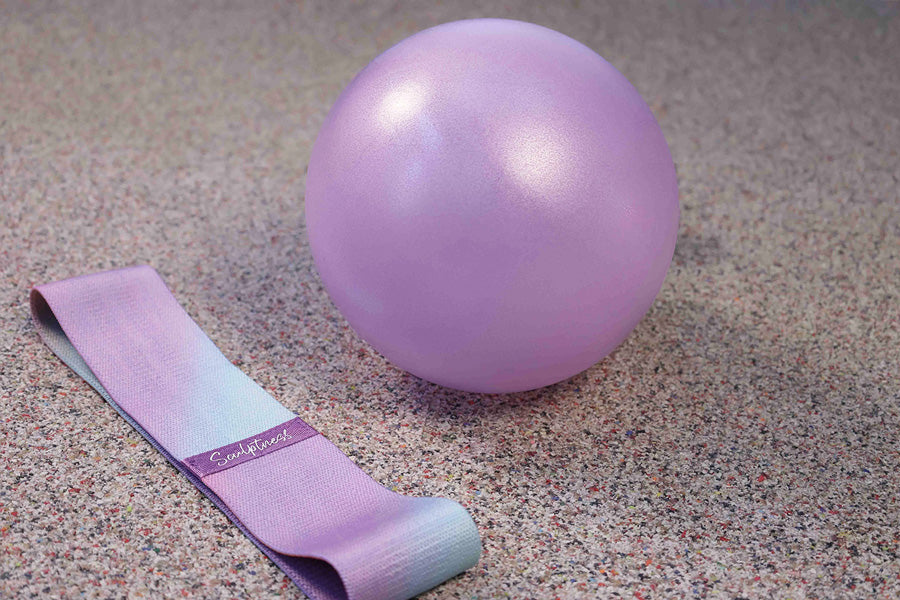
However, when you're ready to take your fitness routine to the next level, enhance your routine with dumbbells, sliders, bands, and a small ball. Get the best Sculptness® Equipment here.
What's included in my Sculptness® Membership?
You will love the incredible benefits! Members experience the perks of having access to their own personal trainer, the entire Sculptness® On-Demand Studio, and exclusive member-only communications, to name a few.
How do I become a member?
Becoming a member is easy and can be done here.
Will my membership automatically renew?
Yes! Your Sculptness® membership automatically renews at the end of each billing cycle (monthly or annually, depending on your selected plan). Your payment method will be charged automatically to ensure uninterrupted access to your membership.
If you wish to discontinue your membership, you can cancel anytime before your next renewal date.
What is your refund policy?
All membership payments are non-refundable once processed. We do not offer prorated refunds for partially used billing periods or unused membership time.
If you experience a billing issue or believe you have been charged in error, please reach out to us so we can help resolve the issue.
How do I cancel my membership?
To cancel, follow these steps:
- Open the Playbook app and navigate to your Profile.
- Find the My Subscriptions section and select Manage.
- Select Cancel Subscription.
- Follow the prompts to confirm your cancellation.
If you subscribed through Apple or Google, you'll need to manage your subscription through your device's subscription settings.
Once canceled, you'll continue to have access to your Sculptness® membership and content through the end of your current billing period. Your membership will not renew again.
Can't find what you're looking for?
Fill out our Contact Us Form, and we'll get back to you as soon as possible.